How to deal with website diagnostic detail
Oct 14 2022
AAAtraq delivers an online ADA Risk Control Program focused on your website(s). The program is simple to deploy, allows you to assign tasks and enables clients to demonstrate significant improvement in just one week.
As part of the process, you will ensure staff are trained and suppliers are accountable and our independent reporting will enable you to understand your risk position, regardless of your technical ability.
We DO NOT provide diagnostic details, and our service isn’t designed to replace products that do! It has been developed to be used alongside them and to monitor progress - developers will still need a list of what to fix.
Getting the diagnostic detail
It’s important to still get the diagnostic detail to address any accessibility issues on your website, but the appropriate people with the correct skills should be assigned this. That’s because the language used by such services, and the nature of the fixes, are generally very technical and focused on being understood by developers.
Once the developers working on your website have their list of things to fix (these are known technically as WCAG diagnostics), as long as they understand accessibility 'compliance standards', they can fix and remove the accessibility issue(s).
One example of a diagnostic tool that can be used is Sitemorse (opens in a new window). It includes an online checking tool which is free to use and can be run on any single page at any time, and accessed at: https://Sitemorse.com/check (opens in a new window). On the Sitemorse check page you will be prompted to ‘Enter your URL’ in the entry field, next hit the ‘Check’ button.
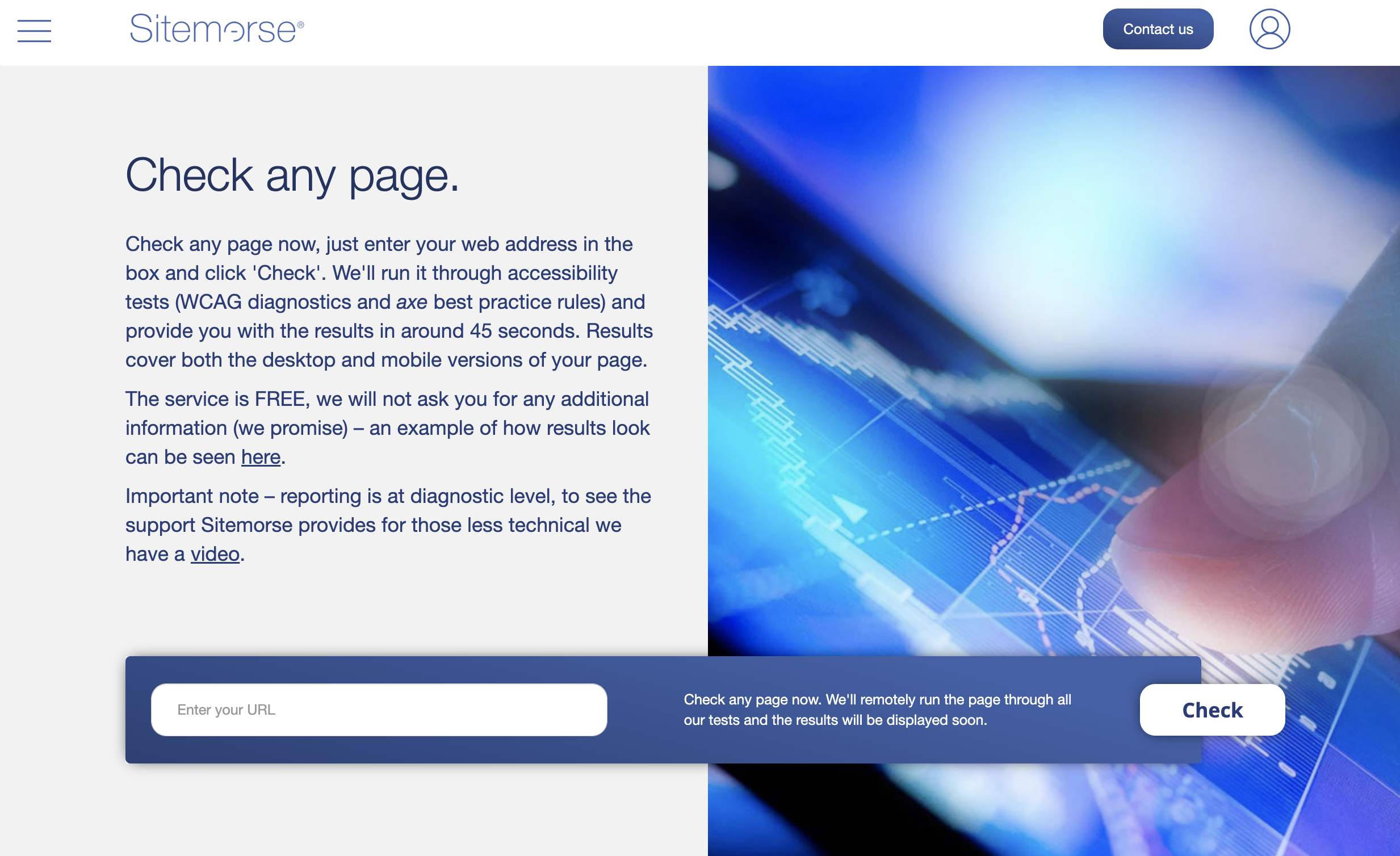
Once you’ve hit that ‘Check’ button, the technology will click into action and test the page for any accessibility issues; this takes around 30 seconds to a minute. When it’s finished any accessibility issues on the page that need fixing page will be displayed; these will be broken down by the WCAG diagnostics. It’s a bit like when you take your car to the autoshop, if it’s got a problem, they plug it into the computer and the computer outputs a fault code for what is wrong with the car.
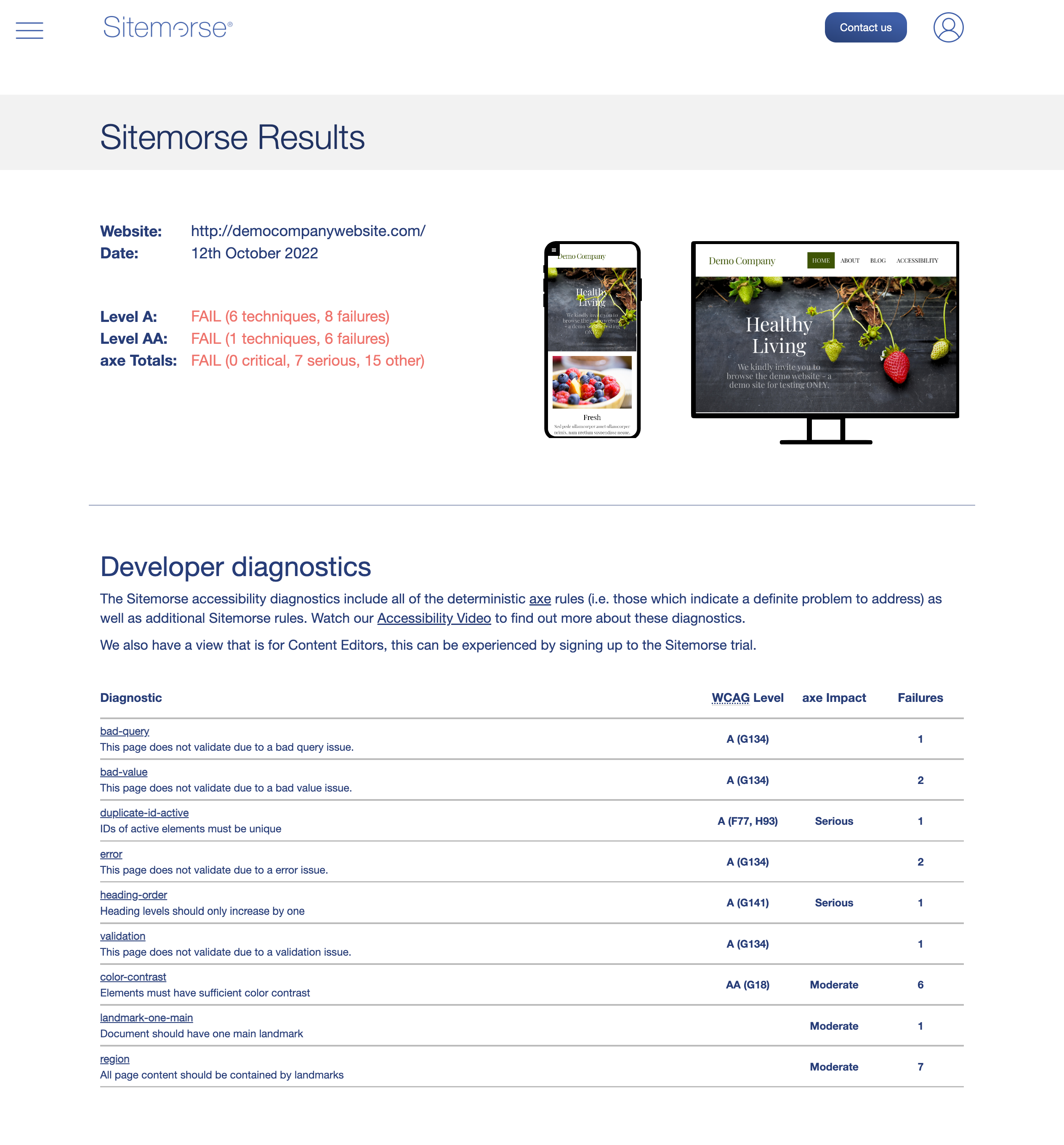
The results page will be similar to the visual below, and broken down by diagnostic.
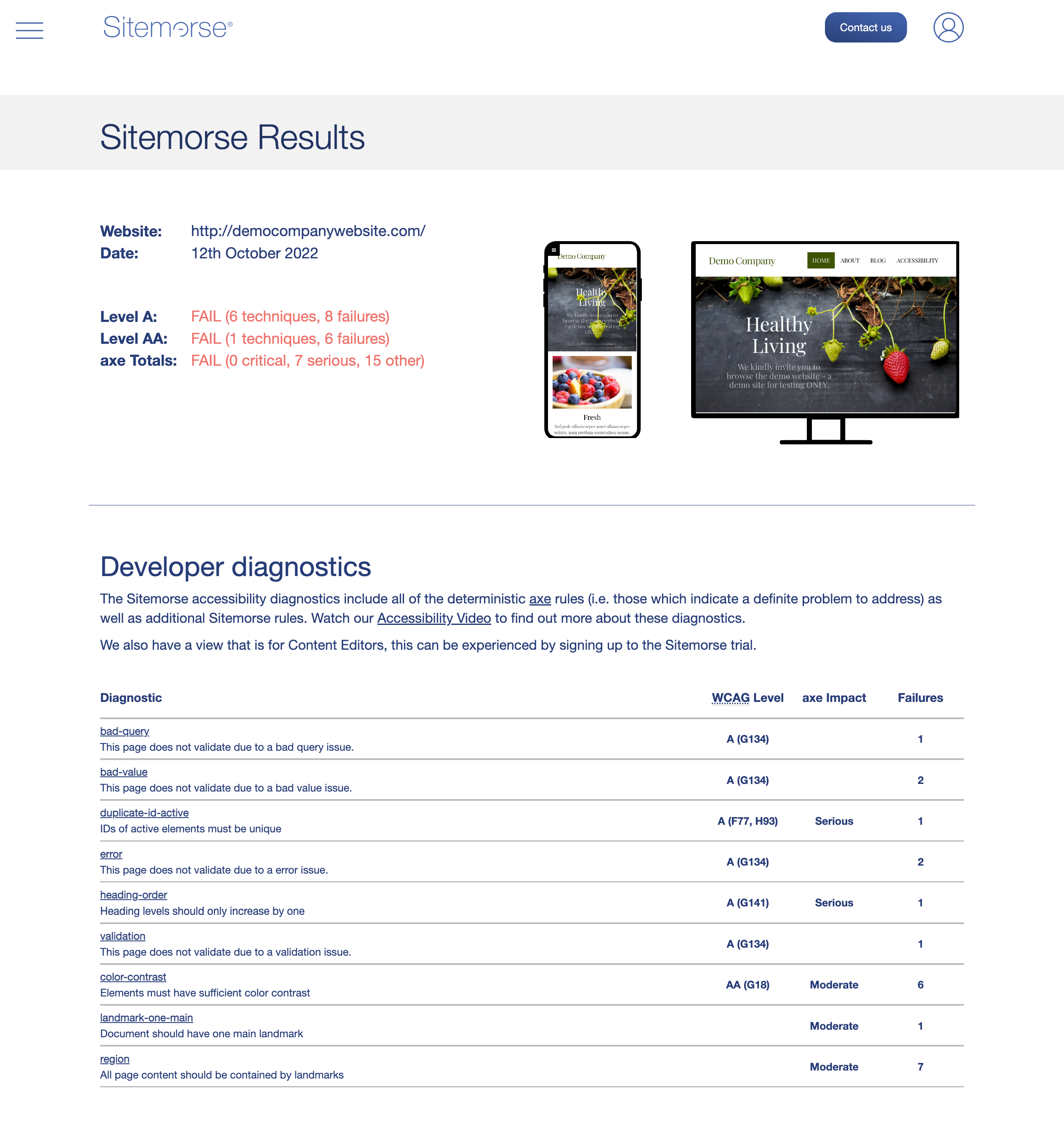
From here, developers can see what the diagnostic detail (fault code) is, including the WCAG techniques code and a short description. We also display how many times we’ve found it on the webpage. These are all things an accessibility developer will understand, each of the codes shown in the ‘WCAG Level’ column realtes to a different element they need to fix.
It's important to remember here that staff training is key. Before they go ahead and make these fixes, anyone working on the website needs to be trained on how to do things properly otherwise the issues might return.
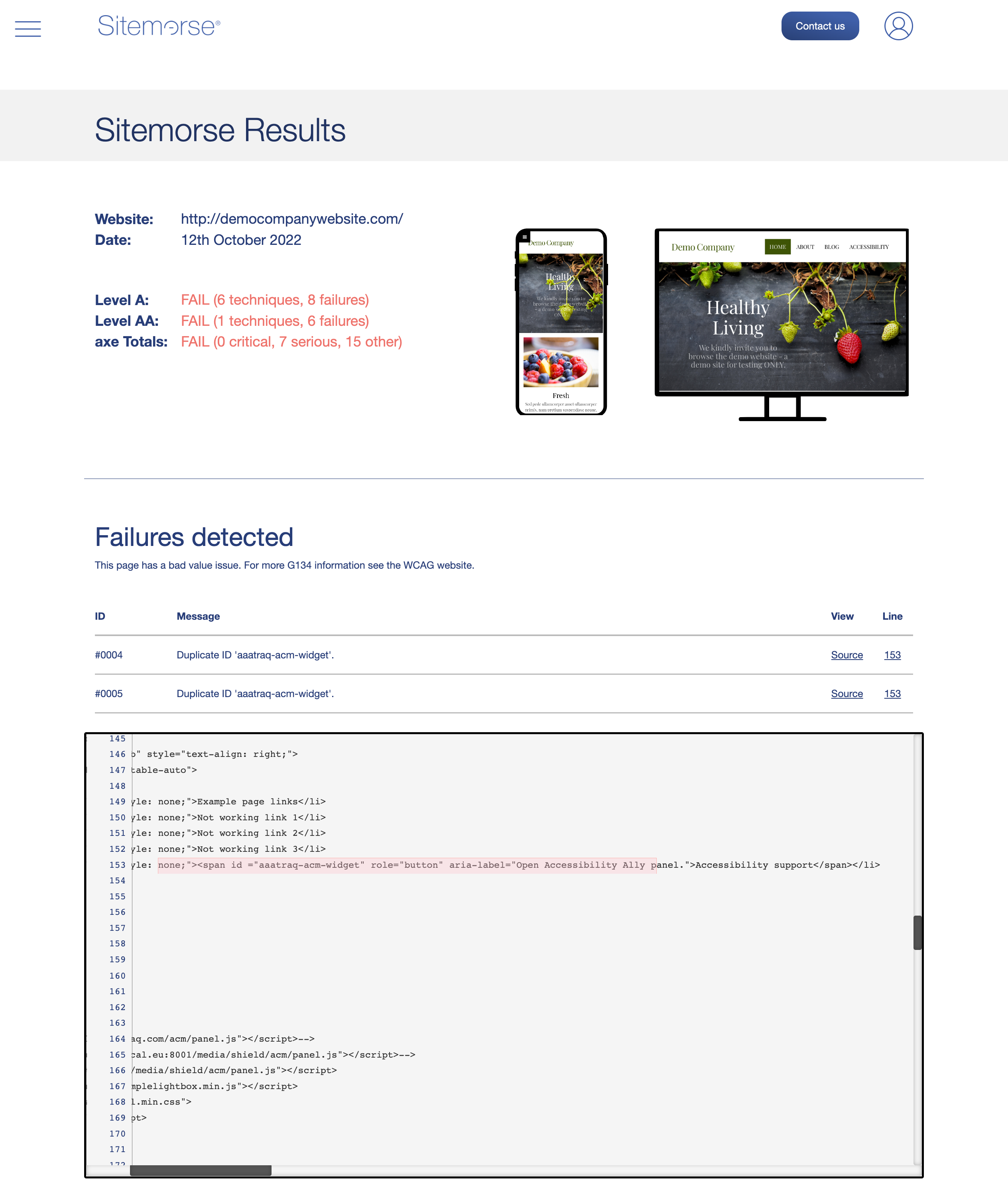
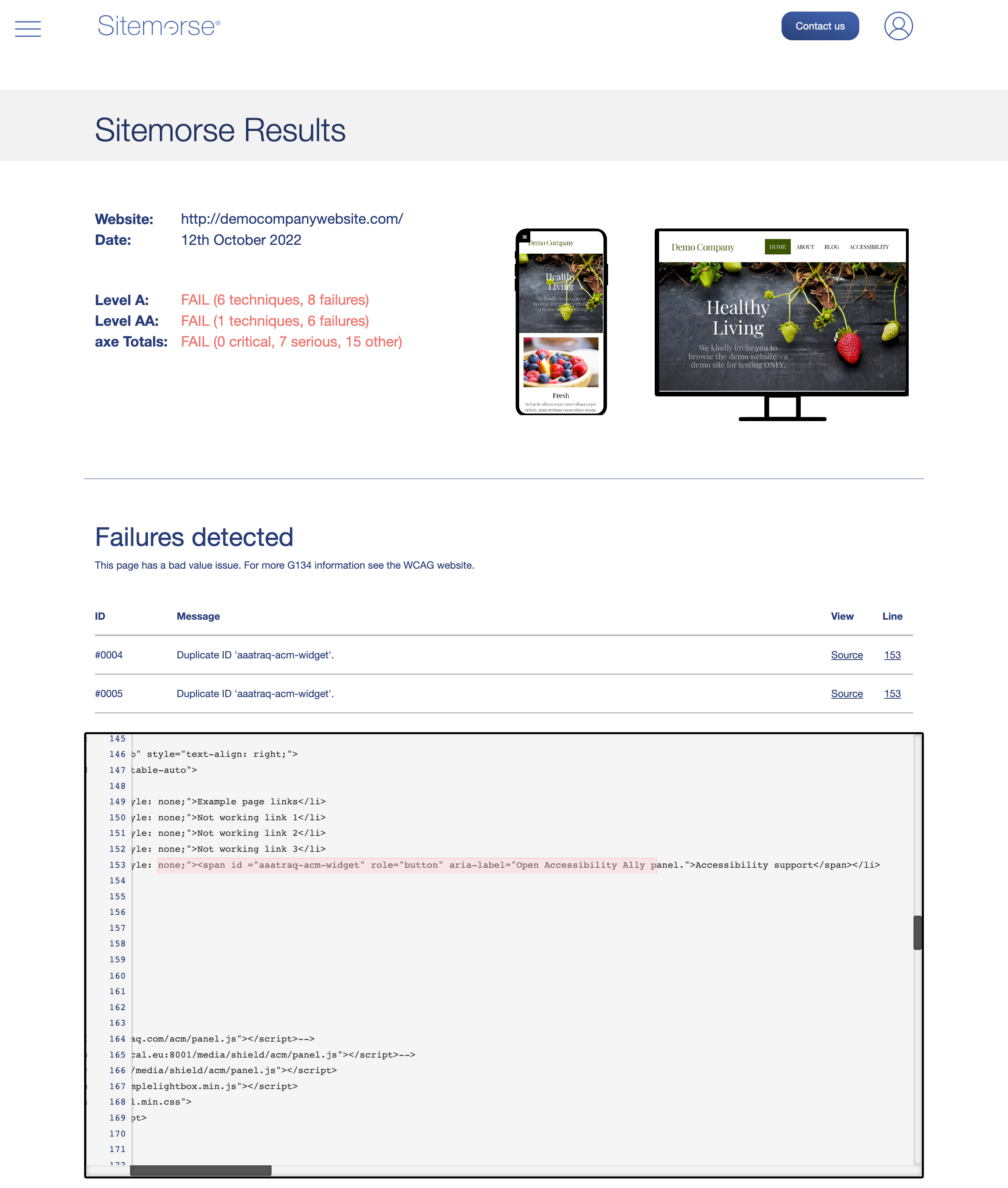
Aspects covered in the report can be broken down further by clicking on an individual diagnostic. This brings up some more detail about the issue uncovered, along with the line in the code where the issue was found.
Once the issue has been fixed, the page can be rerun using the same method described above, to check that it’s no longer showing the issue.
A short video which shows you how to use the Sitemorse Checker is available to view at https://youtu.be/jH4oeQx6KrI (opens in a new window).
Subscribe to AAAtraq and enjoy complete cover and peace of mind
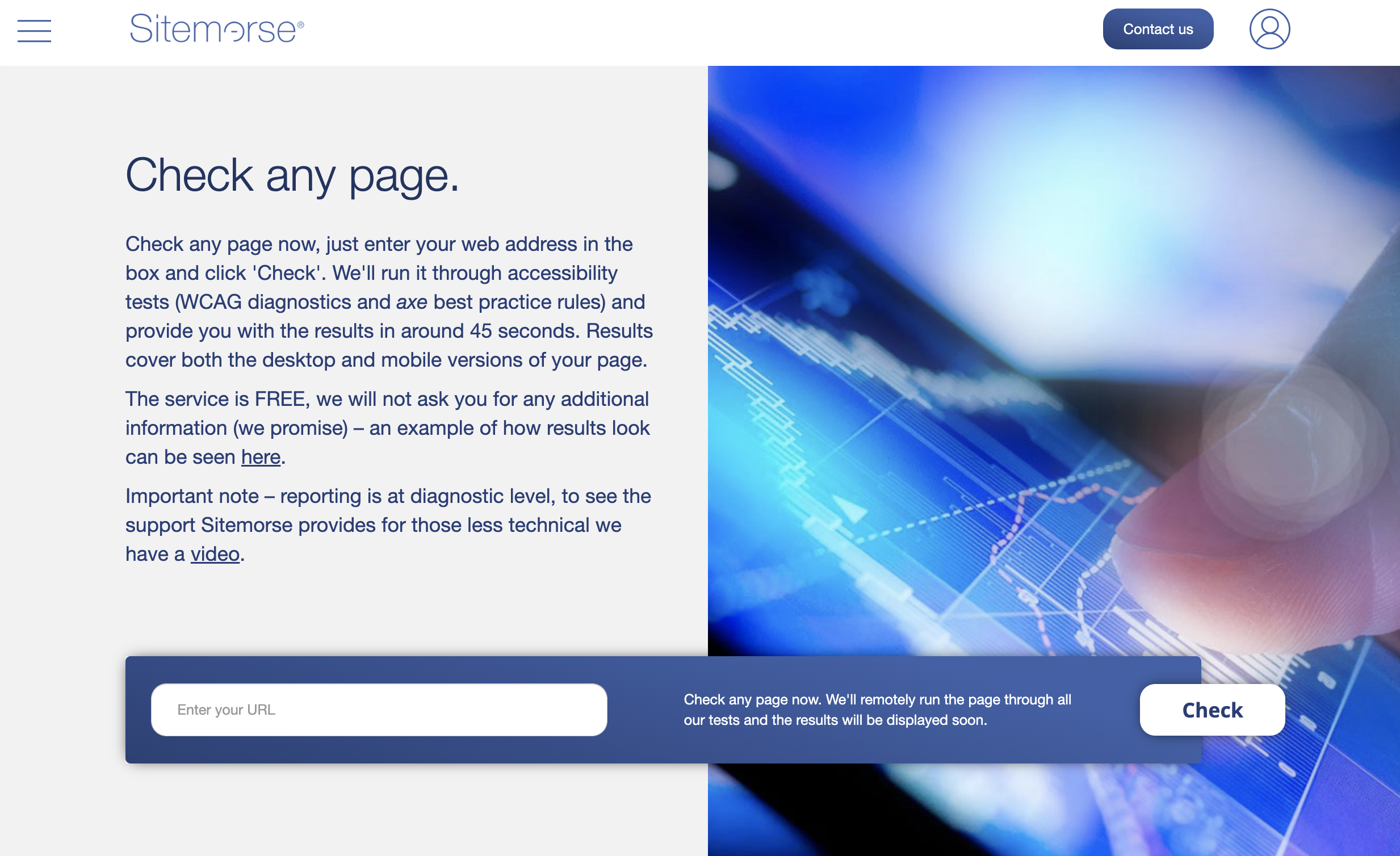
Sitemorse Check Page
Sitemorse Check Page Post An Assessment Being Run
Sitemorse Check Page Showing The Additional Diagnostic Detail